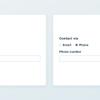
Building on my recent work in the form utility space, I’ve created a new web component that allows you to conditionally display form fields based on the values of other fields: <form-show-if>.
Building on my recent work in the form utility space, I’ve created a new web component that allows you to conditionally display form fields based on the values of other fields: <form-show-if>.
When one approach becomes “how things are done,” we unconsciously defend it even when standards would give us a healthier, more interoperable ecosystem. Psychologists call this reflex System Justification. Naming it helps us steer toward a standards-first future without turning the discussion into a framework war.
This whole piece is an excellent discussion about how tools can become an identity and why that’s a bad thing.
Late last year, I probed an LLM’s responses to HTML code generation prompts to assess its adherence to accessibility best practices. The results were unsurprisingly disappointing — roughly what I’d expect from a developer aware of accessibility but unsure how to implement it. The study highlighted key areas where training data needs improvement.
In a distressing moment, it’s like you’re rushing to the airport — you’re just looking for help right now. When you aren’t distressed, it’s like you’re on vacation. You can take your time, you’re more open to exploring.
In a recent study, the VA learned a lot from users navigating acute distress — and why typical UX patterns fail. This is highly recommended reading for anyone working in the design space.

I think it’s really key to understand what AI is good for and where it falls short. Not just in terms of results, but in terms of externalities as well.
To that end, this is a piece worth reading. To me, the golden nugget is this (when discussing who will succeed with AI agents):
[T]he winners will be teams building constrained, domain-specific tools that use AI for the hard parts while maintaining human control or strict boundaries over critical decisions. Think less “autonomous everything” and more “extremely capable assistants with clear boundaries.”
In this episode, Trevor Noah and Brad Smith talk about a lot of things, but I think the most prescient is their discussion of information bubbles and organizing around labels. Trevor astutely observes how the source of information often colors how we receive that information and whether we consider it or reject it out of hand. In today’s media ecosystem, the system of “in groups” and “out groups” creates deep division and makes us more susceptible to misinformation.
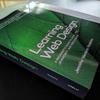
It’s here! Nearly 900 pages of guidance on how to build web pages, to which I contributed a little over 100 pages: Learning Web Design, 6th Edition.
The disability personas contained in Sarah Horton & Whitney Quesenbery’s A Web for Everyone are a terrific resource, so I’m thrilled their available beyond the book now too.
canvas
While working on a recent project I noticed an issue with a <canvas>-based audio visualization when I toggled between light and dark modes. When I’d originally set it up I was browsing in dark mode and the light visualization stroke showed up perfectly on the dark background, but it was invisible when viewed using the light theme (which I’d neglected to test). I searched around, but didn’t find any articles on easy ways to make <canvas> respond nicely to user preferences, so I thought I’d share (in brief) how I solved it.
Earlier this month I joined Jeremy Osborne and Andrew Miller to talk about the benefits and harms of AI as it relates to accessibility. It was livestreamed on a few platforms, but I wanted to drop links to the transcript and archival video in case you’re interested.