An excellent overview of how to create an accessible ToDo list from the one and only Heydon Pickering. This is a great project, we should all support him so we get more amazing content like this.
An excellent overview of how to create an accessible ToDo list from the one and only Heydon Pickering. This is a great project, we should all support him so we get more amazing content like this.

While the name is a bit confusing, this new tool helps you compare the volume of code you’ve authored to the the amount of code that is actually executed by the browser. It’s a cool idea, but you should take it’s results with a grain of salt: This tool is only diagnosing your project based on the current page and/or flow (if it’s a single page app). Be careful not to take the results as gospel and start eliminating code without knowing whether it’s actually unused in all scenarios.
Now… tie this into an automated testing tool and gather results from a complete run-through of an app or site and you’ve got something you can actually use to improve your site’s performance.
It’s worth noting that there are static analysis tools for many task runners that can actually run queries against your HTML templates and remove unused styles automatically. I’ve used gulp-uncss on a few projects and found it to work reasonably well (though you have to tune it for any JavaScript-related styles since it only consults your HTML to find matches).

Accessibility champion Steve Faulkner has updated his support table for ARIA’s “alert” role.

The Edge team is definitely not resting on their laurels. Here’s a rundown of a few of the new bits that landed in Edge as part of the latest Windows 10 update:
The team also made improvements to the browser’s battery usage, security, and a whole lot more. Read the full post for more details.
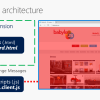
This is an excellent write-up on how to build a truly cross-browser (except Safari, sadly) extension from my colleague David Rousset.

A while back I joined a Twitter conversation between Jared Spool and Jake Archibald about privacy policies and shared my enthusiasm for how delicately Microsoft (my employer) treats any data it collects. I’m so happy to see Microsoft starting to open up a little more about what telemetry data they are collecting and how it is actually being used to make Windows better. To wit:
[C]ertain combinations of audio drivers and audio hardware were resulting in audio that was broken or missing certain special effects. The telemetry data enabled the exact pairings of drivers and hardware that had issues to be pinpointed, enabling a fix to be developed.

Great news if you’re on a Mac!
You can test Microsoft Edge on the Windows 10 Anniversary Update (EdgeHTML 14) starting today. EdgeHTML 15 will be available in the Windows 10 Creators Update starting on April 11, 2017, and will come to BrowserStack in the following weeks.
This post contains a few interesting tips and tricks for improving the speed of your sites, Jekyll or otherwise.

A bit on the problem created by the present state of keyboard commands in JavaScript and how KeyboardEvent.key seeks to address the issue.
Everything you could possibly want to know about how browsers handle scrolling.